


Information Technology
Desktops
Laptops
Tablets
Gaming
Monitors
TVs
Projectors
Memory Products
Refurbished & Used Items
Security Solutions
Cameras
Alarm Systems
DVR Units
POS Solutions

The office phone did not die; it moved to the network. VoIP, voice over the internet, has quietly become the default for business telephony because it costs less, scales instantly and carries features the old phone line never could. If your business still runs on legacy lines, or on a tangle of mobile numbers, this guide explains what an upgrade actually involves and which hardware belongs on which desk.
Calls travel over your internet connection instead of a dedicated phone line. One cable to each desk carries both the computer and the phone, and with PoE (power over ethernet) that same cable powers the phone too. No adapters, no extra sockets.
Numbers become flexible. Extensions are created in software, so a new hire gets a number in minutes. The same extension can ring a desk phone, a mobile app and a laptop at once, which is exactly what hybrid work needs.
Features stop costing extra. Call transfer, voicemail to email, call recording, auto attendant menus, conference bridges: features that once required expensive hardware are simply included in modern IP systems.
Costs become predictable. Internal calls between branches cost nothing, international rates drop sharply, and the bill scales with the number of users instead of the number of lines.
A common mistake is treating the handset as an afterthought. People spend hours a day on these devices, and the differences are real:
Entry desk phones cover reception areas and shared spaces: two or three lines, clear audio, PoE. Simple and dependable.
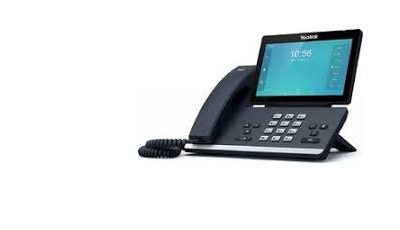
Business desk phones are the workhorses: colour screens, more line keys, USB headset support, Gigabit passthrough so the PC behind the phone loses nothing.
Executive and video phones add large touch screens, built-in cameras and Android apps for people who live in calls.
Cordless DECT phones free warehouses, clinics and retail floors from the desk. A single base station covers the space and handsets roam freely.
Conference phones and speakerphones belong in meeting rooms, where a desk phone on speaker simply does not cut it.
Browse the full telephone solutions range, with IP phones for every desk type and conferencing equipment for the meeting rooms.
Is VoIP call quality good enough for business?
On a properly configured network, better than the old lines. HD voice codecs carry noticeably clearer audio than analogue telephony ever did.
What happens if the internet goes down?
Calls can fail over automatically to mobile apps or another site. That is a resilience level analogue lines never offered, where a cut cable simply meant silence.
Can we keep our existing numbers?
Yes. Porting existing numbers into a VoIP system is a routine part of the migration.
Do IP phones work with Microsoft Teams?
Dedicated Teams editions of desk phones and conference devices sign into your Teams account directly, so the desk phone and the laptop become one system.
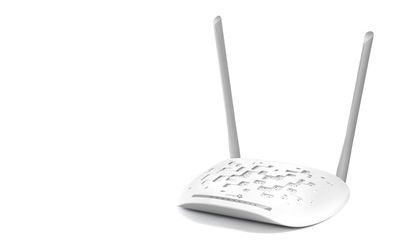
A VoIP upgrade is a network project first and a hardware project second. Get the switch and router right, choose handsets by role instead of buying one model for everyone, and port the numbers properly. The result is a phone system that costs less every month and finally works the way the office actually works.
No account yet?
Create an Account